Codename BugTracker
A downloadable tool for Windows
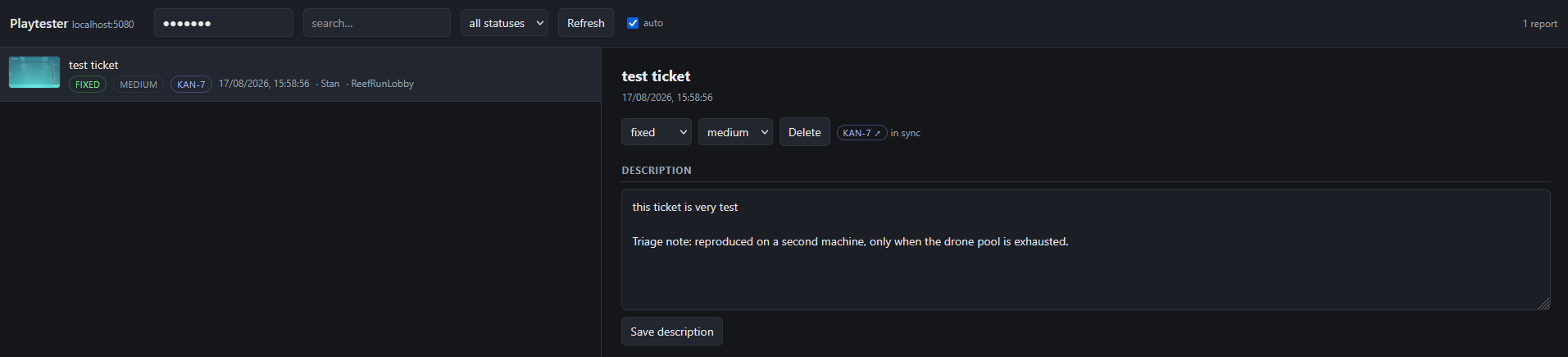
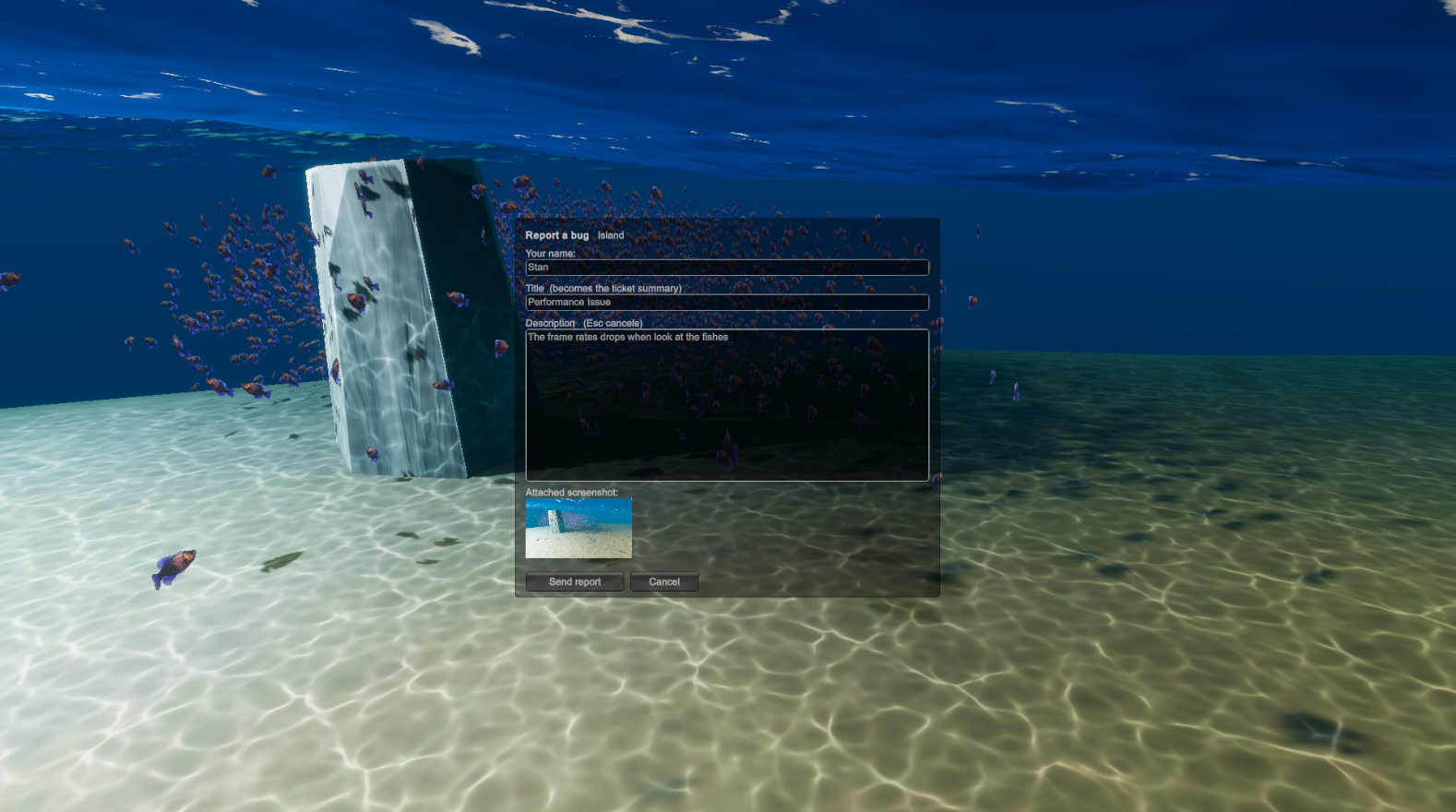
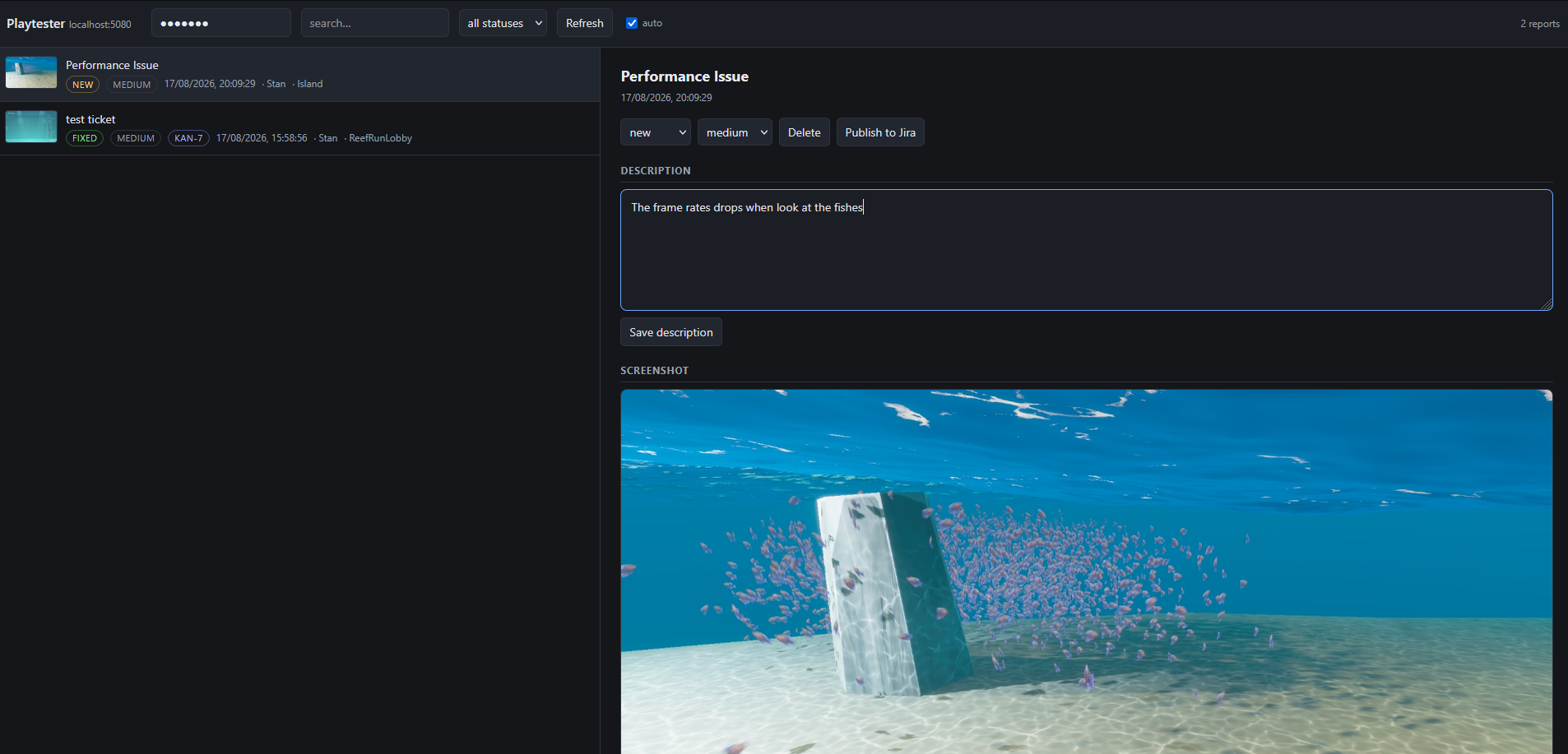
In-game bug reporting for Unity playtests. Tester presses F1, types what broke, and the report lands in a web dashboard with a screenshot, machine specs, the active scene, the log tail and a breadcrumb trail of what they were doing.
Unity setup
- Copy
Unity/Assets/Playtester/into your project'sAssets/. - Add
BugReporterto one GameObject in your first scene. It survives scene loads viaDontDestroyOnLoadand de-dupes itself if it ends up in two scenes. - Set Endpoint to
http://<host>:5080/v1/reportsand Api Key to match the server.
Put breadcrumbs through gameplay code wherever a tester does something notable:
using Playtester;
Breadcrumbs.Drop("Picked up keycard");
Breadcrumbs.Drop("Entered room {0}", room.name);
Consecutive identical entries collapse (Called elevator (x6 over 9.4s)), so a tester mashing one input doesn't flush the interesting history out of the 20-entry window.
The panel: F1 opens it, Esc or Cancel closes it, Send report submits. Send stays greyed out until the message box has text.
Notes on the Unity side:
pauseWhileOpen(on by default) setsTime.timeScale = 0while the panel is up and restores the previous value on close. Without it the tester's typing also drives gameplay — WASD walks away from the bug being reported. Uncheck it if your game manages its own pause state.- Gate your own input reads on
BugReporter.IsOpenif you read raw keys anywhere, since IMGUI focus doesn't stopInput.GetKeyfrom firing. - The screenshot is captured at end-of-frame before the report UI is drawn, so the overlay never appears in the attachment.
- Screenshots are downscaled to
screenshotMaxWidth(default 1280) and JPEG-encoded atjpegQuality(default 70) — roughly 60–120 KB per report. - The log tail hooks
logMessageReceivedThreadedand keeps the last 50 lines; errors and exceptions carry their stack traces. - Works with both the legacy Input Manager and the new Input System (compile-time switch).
Jira Cloud forwarding
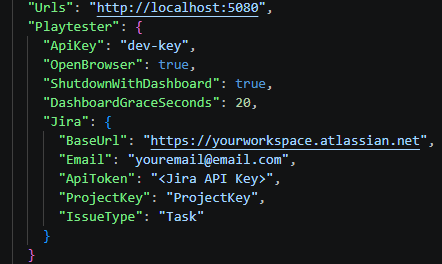
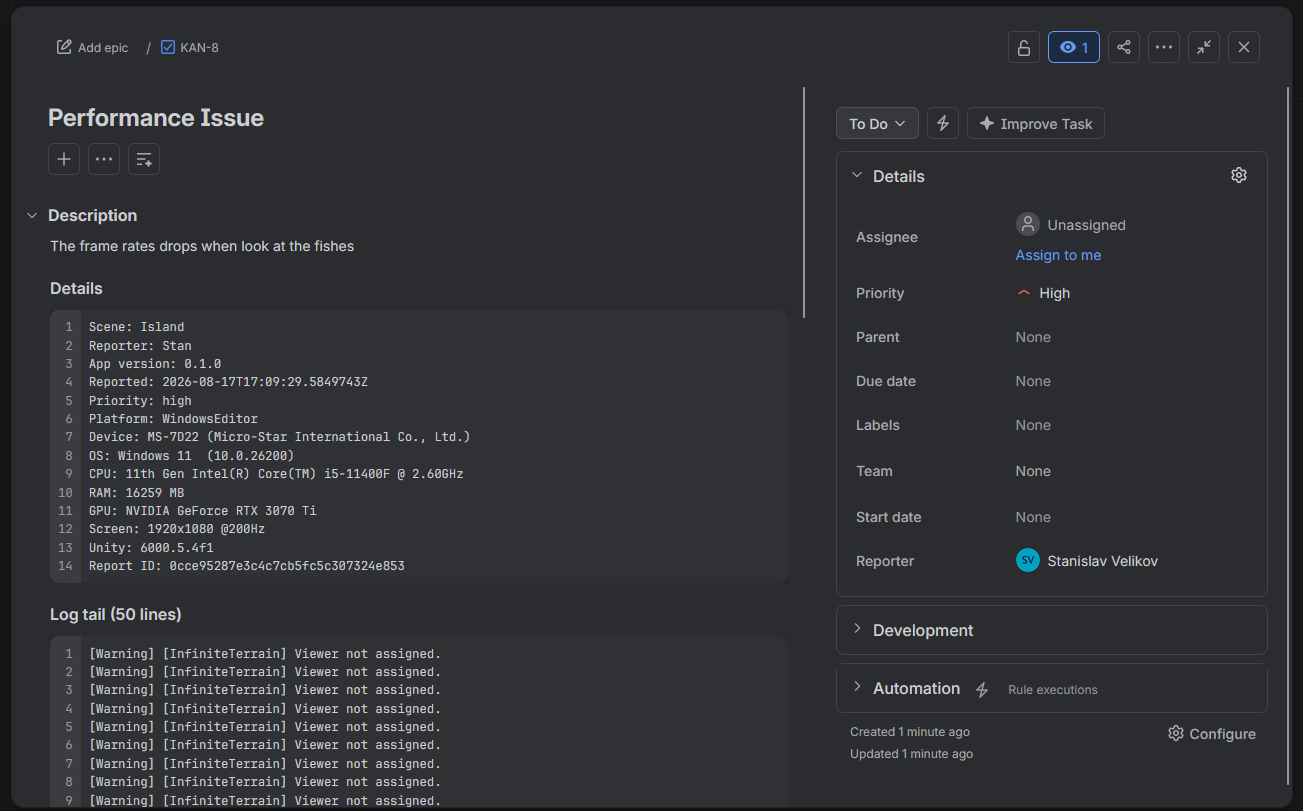
Publishing is manual — a Publish to Jira button on each report — so duplicate reports of the same bug don't each spawn an issue. Credentials are server-side only. - Create an API token at https://id.atlassian.com/manage-profile/security/api-tokens, then either put it in
appsettings.json:
Purchase
In order to download this tool you must purchase it at or above the minimum price of $5 USD. You will get access to the following files:
Leave a comment
Log in with itch.io to leave a comment.